What is BC in JRS Tracking?
When shipping or waiting for a package through JRS Express, tracking its real-time location is one of the most critical steps in the delivery process. However, many customers encounter an immediate obstacle when visiting the tracking portal: the system asks for a bc in JRS tracking—specifically the Branch Code—alongside the standard Airbill or Official Receipt (OR) Number.
In JRS tracking, BC stands for Branch Code. It is a 3-digit numerical code assigned to the specific bc in the JRS Express branch where your package was drop-off processed or accepted into the courier network.
BC in JRS Tracking?
In the JRS Express tracking ecosystem, BC stands for Branch Code.
A Branch Code is a unique 3-digit numerical identifier assigned internally to every official JRS Express branch, express center, and hub operating across the Philippines. When a sender drops off a parcel, document, or cargo shipment at a physical counter, the transaction is processed under that specific branch’s account.
Why JRS Express Uses Branch Codes
Unlike modern global couriers that generate a single, unified 12-to-15-digit alphanumeric barcode for each parcel, JRS Express operates on a decentralized hub-and-spoke tracking methodology. BC in JRS Tracking indexing system relies on a two-part tracking formula:
Complete Tracking ID Formula
Combining origin branch routing with your parcel’s unique serial number
Because every JRS branch prints physical Official Receipts with sequential serial numbers (ranging from 000001 to 999999), multiple branches across the country could theoretically issue an Airbill with the same 6-digit number on the same day. The 3-digit BC acts as a unique prefix, eliminating duplicate entries and directing the central database to query the correct origin hub records.
How the JRS 9-Digit Tracking ID Works
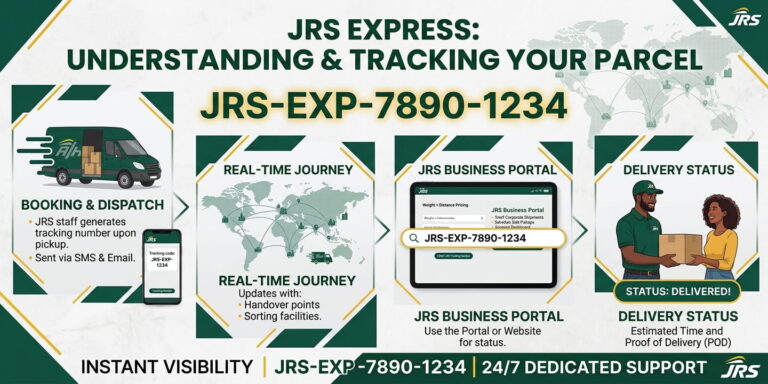
To illustrate how your shipment is indexed in the system, consider a standard BC in JRS Tracking number set:
When combined, these two variables form a unique 9-digit sequence (161-481187).

When you enter 161 into the BC in JRS Tracking on the tracking portal, the server instantly knows that the transaction originated at the designated branch linked to code 161. It then fetches the corresponding tracking history for document 481187 from that branch’s digital ledger.
Where to Find the BC Number on Your JRS Official Receipt
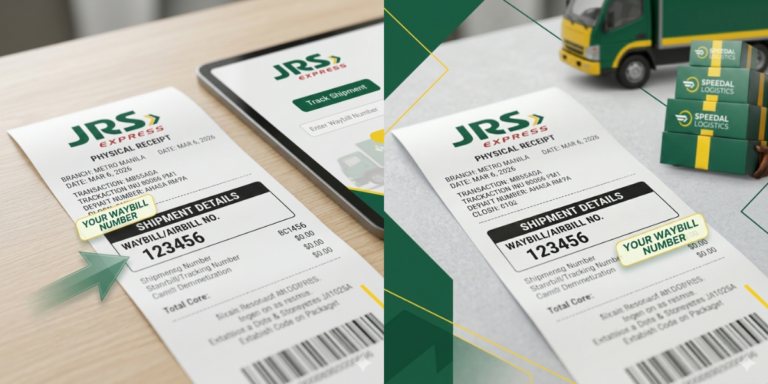
Locating the BC number on a physical or digital JRS receipt is straightforward once you know where to look. Senders are given a white-and-orange physical copy of the Official Receipt (OR) upon paying for the shipment.
Reading the Official Receipt
How to Track Your Package Using the BC Number
Tracking your shipment on the official website requires entering both pieces of information:
Visit the Portal
Go to the official JRS Express tracking page. https://jrstracking.ph/
Enter the Airbill / OR Number
Type the 6-digit receipt number into the Airbill No. field.
Enter the BC Number
Type the 3-digit branch code into the BC field.
Click Track
Submit the query to view your parcel’s origin, hub transfers, current status, and ETA.
FAQs
Conclusion
Understanding the role of the BC (Branch Code) is the key to hassle-free parcel tracking with JRS Express. Because JRS utilizes a dual-identifier tracking format, providing both the 3-digit Branch Code and the 6-digit Airbill Number ensures that the system accurately locates your shipment across its vast network of over 450 branches nationwide.
Whether you are an online seller issuing receipts or a buyer waiting for a package to arrive, simply locate the BC: XXX designation on the top-right corner of your official receipt, input both codes correctly into the official portal, or scan the built-in QR code for instant updates.