
JRS Tracking
Live Airbill & Cargo Tracker (2026)
Track Your Shipment
Get instant updates on the location and delivery status of any JRS Express package.
📋 Your airbill number is on your JRS receipt or delivery SMS.
Never lose sight of a delivery again. Use our intuitive JRS Tracking tool to get instant updates on locations, status, and ETAs. Our tool supports JRS Express OR, Airbill, or BC numbers, providing comprehensive updates from the initial pickup at a sorting facility to the final last-mile delivery.
What is JRS Tracking?
JRS Tracking is an online shipment tracking system that allows customers to monitor the status and location of their JRS Express parcels using a unique tracking number.
Every shipment receives a tracking ID, which is scanned at different logistics hubs and delivery checkpoints. These scans create real-time updates that allow customers to track parcel progress and parcel rates from pickup to delivery.
Tracking systems are widely used by courier services, logistics companies, and e-commerce businesses to improve delivery transparency and shipment monitoring.

JRS Tracking ID
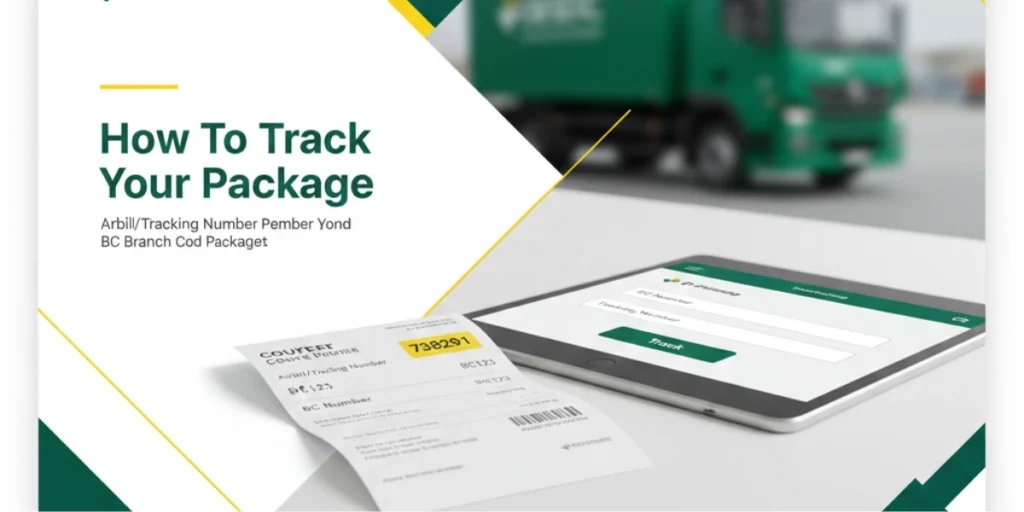
The tracking ID, often called the Air Waybill Number or BC Number, is generated the moment you drop off a package or a pickup is confirmed.
On the Receipt
Look at the top right or center of your white-and-orange JRS receipt. It usually consists of a Branch Code (3–4 letters) followed by a Tracking Number (a series of digits).
From the Sender
If you are the recipient, the sender should provide a photo of the receipt. The full tracking ID often looks like MKT-1234567.
How To Track
What Is the JRS Express QR Code?
Every official JRS Express receipt includes a QR code — a small square barcode that encodes your shipment’s tracking details. When you scan it with any smartphone camera or QR scanner app, it pulls up your parcel’s live tracking status directly. No typing, no Airbill number, no Branch Code needed.
JRS Express prints this QR code on every receipt issued at the branch counter. If you booked your shipment online — through Shopee, Lazada, or another platform — the QR code is included in your digital booking confirmation or shipping label.
The QR code is the fastest tracking method JRS offers. It is especially useful when you are handing the receipt to someone else (a family member picking up a parcel, a business contact expecting a document), so they can track it on their own phone without writing down any numbers.
Where to Find the QR Code on Your JRS Receipt
The QR code is printed in the top right corner of your official JRS Express receipt, alongside the two numbers you need for manual tracking:
The QR code sits beside or below these two numbers on the same section of the receipt. It is the small black-and-white square grid — not the barcode strip that may also appear elsewhere on the receipt.
Keep this receipt. It is your only proof of shipment and your only way to track or file a claim if anything goes wrong. Photograph it with your phone the moment you receive it at the branch, so you always have a backup copy.
Track JRS Express Using QR Code
Using Your Phone Camera
Most smartphones running Android 8+ or iOS 11+ can scan QR codes directly through the native camera app without any third-party software.
Step 1: Open Your Phone Camera:
Open the default camera app on your iPhone or Android phone. You do not need to be in photo or video mode — just open the camera normally.
Step 2: Point at the QR Code
Hold your phone steadily over the QR code printed on your JRS receipt. Keep the code fully visible within the camera frame. The camera should be 10–20cm away from the receipt for a clean read.
Step 3: Wait for the Scan Prompt
Within 1–2 seconds, a notification or banner will appear at the top or bottom of your screen showing a URL. Tap that link.
Step 4: View Your Tracking Status
The link opens a browser page showing your shipment’s current status — location, timestamps, and the next delivery step.
Using a Dedicated QR Scanner App
If your phone camera does not auto-detect QR codes, download a free QR scanner:
Google Lens (Android / iOS) — tap the Google Lens icon in your Google app or camera
QR & Barcode Scanner by ZXing Team (Android, free)
QR Code Reader by Scan (iOS, free)
Open the app, point at the QR code on your JRS receipt, and tap the tracking link that appears.
Scanning a Digital QR Code
If you shipped through Shopee, Lazada, or booked directly at jrs-express.com, your QR code is in your booking confirmation email or order tracking page — not on a physical receipt.
Open your booking confirmation email or the platform’s order tracking page.
Take a screenshot of the QR code shown on screen.
Open Google Lens or your QR scanner app, then scan the screenshot from your photo gallery (most apps support scanning from images, not just the live camera).
The tracking link opens in your browser.
All JRS Express Tracking Methods
Method | What You Need |
|---|---|
QR Code Scan (Camera) | JRS receipt with QR code |
QR Code Scan (from image) | Screenshot of QR code |
Official Website | Airbill No. + BC No. |
Our Tracking Tool Above | Airbill No. + BC No. |
Phone Call — 02-8631-7351 | Any parcel details |
Airbill No. + details | |
Facebook Message | Airbill No. + details |
Visit Branch | Receipt or ID |
The QR code scan is the single fastest method — one second from scan to status, with zero manual data entry.
Our Strategic Ecosystem
PalawanPay
Seamless QR Ph payments at 450+ branches.
GCash & Maya
100% cashless transactions for senders.
Global Carriers
Connecting Filipino SMEs to over 20 nations.
JRS Tracking Status
Received
This means JRS Express has accepted the parcel at the origin branch and registered it in the tracking system.
In Transit
The shipment is moving through the courier network between logistics hubs or distribution centers.
Arrived
Your parcel has reached a regional hub or sorting center, where it will be processed before the next step in the delivery process.
Out for Delivery
The shipment is with a courier and is expected to be delivered to the destination address soon.
Delivered
The package has been successfully delivered to the recipient.
local_shipping Delivery Schedule
Destination | Estimated Time |
|---|---|
Within Metro Manila | 1 Business Day |
Luzon to Luzon | 1 – 2 Business Days |
Visayas / Mindanao | 3 – 6 Business Days |
Island Provinces | Up to 30 Days |
International | 3 – 14 Days |
Note: JRS operates on Sundays and Holidays, which is a unique advantage over some local competitors, though provincial hubs may still follow standard business hours.
JRS Tracking Number Format
The reason people get confused is that “JRS tracking number” can mean different things depending on who is using the term:
JRS Express Airbill Formats & Services
JRS Express uses specific numeric Airbill formats depending on the selected delivery service. Standard JRS Express Airbill numbers consist of a 10 to 12 digit numeric code printed on the upper right corner of your official transaction receipt. Refer to the breakdown below for service details and tracking number formats:
Service Type | Airbill / Tracking Format | Expected Delivery | Ideal For |
|---|---|---|---|
Standard Express | 10–12 Digits (e.g., | 24–48 Hours | Standard parcels, documents, and nationwide delivery |
JRS Letterpack | 10 Digits (e.g., | 24 Hours (Next Day) | Urgent legal documents, letters, and flat pouch items |
1-Pounder / 3-Pounder | 10–12 Digits | 24–48 Hours | Small pouches up to 1lb or 3lbs |
JRS Freight / Cargo | 12 Digits (e.g., | 3–7 Business Days | Bulk trade, heavy cargo, and interisland sea/air freight |
When someone asks for your “JRS tracking number,” they usually mean the Airbill/OR number (6 digits). But on the official website, you cannot track with that alone — you must also enter the BC number (3 digits) in a separate field.
How JRS Tracking Works
Every JRS Express shipment passes through several stages before reaching its final destination.
Shipment Creation
The process begins when the sender books a shipment with JRS Express at a branch or through a pickup request. Shipment details such as sender, receiver, destination, and parcel weight are recorded.
Tracking Number Generation
Once the shipment is created, JRS Express assigns a unique tracking number. This number identifies the package and allows customers to track it online.
Initial Scan
The parcel is scanned at the origin branch. This creates the first tracking event such as Shipment Received or Accepted at Origin.
Movement Through Logistics Hubs
The shipment travels through regional hubs and distribution centers. Each time it arrives at or leaves a facility, it is scanned, and the tracking system updates the status.
Last Mile Delivery
When the parcel reaches the destination city, it is handed to a delivery courier. At this stage, the tracking status usually changes to Out for Delivery.
Final Delivery Confirmation
After successful delivery, the courier marks the shipment as Delivered, completing the tracking process.
JRS Courier Services
JRS Express provides a wide range of courier and logistics services across the Philippines. These services support individuals, businesses, and e-commerce companies. Common JRS courier services include:
Each shipment receives a tracking number so customers can monitor the progress using JRS Tracking.
Online Courier Tracking Benefits
Online tracking tools offer many advantages for both individuals and businesses.
Real-Time Shipment Visibility
Customers can monitor package movement throughout the delivery process.
Improved Delivery Transparency
Tracking updates reduce uncertainty and provides accurate delivery information.
Better Delivery Planning
Knowing when a shipment will arrive helps recipients plan to receive it.
Reduced Risk of Lost Packages
Tracking systems allow couriers to locate delayed or misplaced shipments more easily.
Convenience for Multiple Shipments
Users can track several packages without visiting multiple courier websites.
Courier Tracking Technology
Shipment tracking systems rely on several technologies to provide accurate updates.
Barcode Scanning
Each parcel is assigned a barcode that is scanned at every logistics checkpoint.
GPS Tracking
Delivery vehicles may use GPS to monitor shipment locations during transport.
Logistics Management Software
Courier companies use specialized software to manage shipments, routing, and delivery operations.
API Tracking Integration
Some tracking platforms connect to courier systems using APIs to display shipment updates automatically.
JRS Tracking Services
Express Next-Day
The fastest way to send urgent documents. We guarantee arrival by the next business day.
Cargo & Freight
Air and sea freight options provide cost-effective solutions for bulk shipments.
International
Seamless global shipping with end-to-end tracking to over 100 countries.
JRS Tracking for Businesses
Businesses that ship products regularly can benefit from shipment tracking tools.
eCommerce Stores
Online stores can provide customers with tracking numbers so they can monitor deliveries without contacting support.
Logistics Companies
Logistics providers can track multiple shipments and manage deliveries across courier networks.
Supply Chain Managers
Tracking systems help companies analyze delivery times, identify delays, and optimize shipping routes.
Common Tracking Issues
Sometimes tracking information may not appear immediately. Here are common issues and how to solve them.
Tracking Number Not Working
Possible reasons include:
Solution:
Shipment Status Not Updating
If shipment stay same status for some time:
Solution:
Contact Details
Head Office Address: No. 19 Brixton Street, Barangay Kapitolyo, Pasig City, Metro Manila, Philippines
FAQs
Conclusion
JRS Tracking provides a reliable and convenient way to monitor your shipments in real time. By using your unique tracking number, you can stay informed about your package’s journey—from pickup at the origin branch, through logistics hubs, to last-mile delivery. With transparent updates, estimated delivery times, and integration with online payment options like GCash and Maya, JRS ensures both individuals and businesses can track their parcels with confidence.