JRS Tracking using Waybill Number

Enter your JRS Waybill or Airbill Number to get real-time updates on your shipment status, location, and estimated delivery time. Track parcels from pickup to final delivery in seconds.

Supports JRS tracking using Waybill, Airbill, and BC tracking numbers.
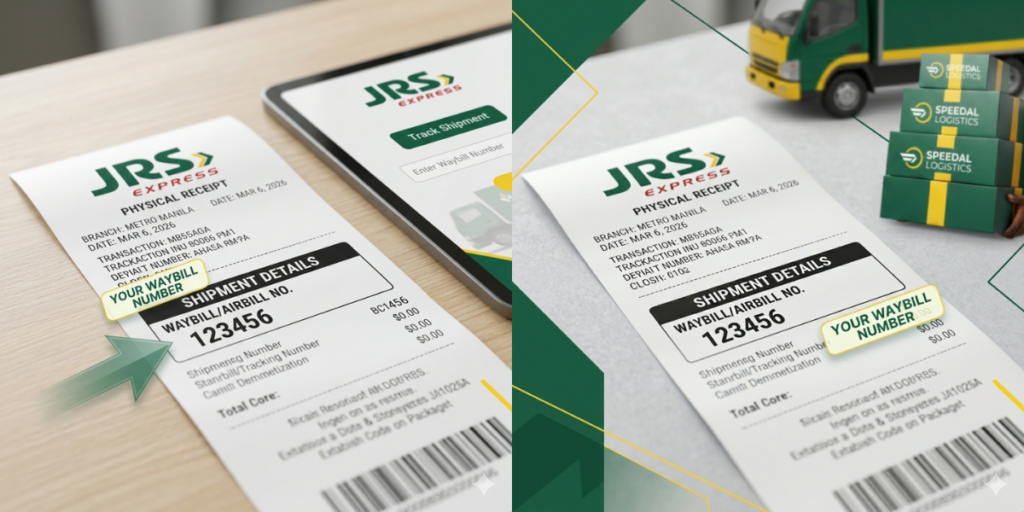
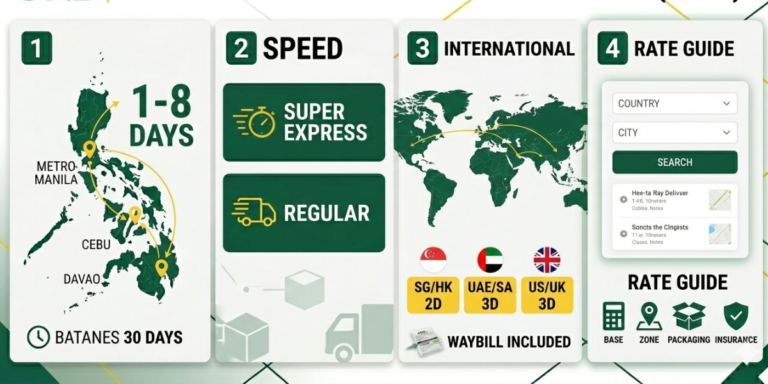
image for jrs tracking using waybill number

What Is a Waybill Number?

A Waybill Number, sometimes referred to as an Airbill Number, is a unique identifier assigned to every JRS Express shipment. This number is generated once a package is booked or a pickup is requested. It allows JRS to record every scan and checkpoint in the delivery process, giving you real-time updates about your shipment’s location and status.

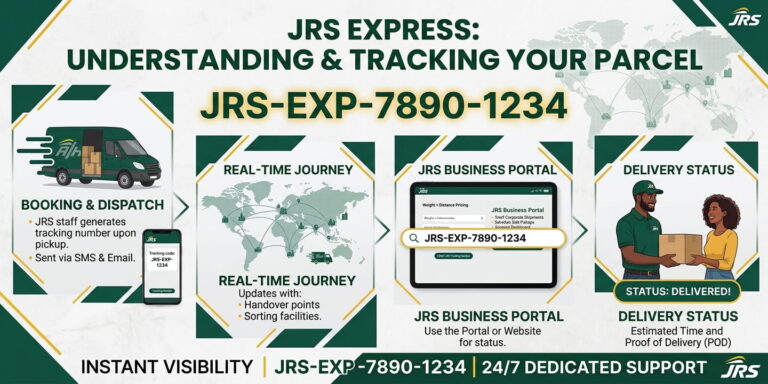
How JRS Tracking Works With a Waybill Number

  • Shipment Booking: The sender creates a shipment at a JRS branch or via pickup request.
  • Waybill Generation: JRS assigns a unique Waybill Number for the package.
  • Initial Scan: The parcel is scanned at the origin branch to create the first tracking record.
  • Transit Through Hubs: The shipment moves through regional hubs and distribution centers. Each arrival and departure is scanned and updated in the system.
  • Last-Mile Delivery: When the parcel reaches the destination city, it is handed to a delivery courier. The status changes to Out for Delivery.
  • Final Delivery: Once delivered, the status updates to Delivered, completing the tracking process.

Find JRS Tracking Using Waybill Number

If you are the sender, look at the physical JRS receipt given to you at the branch. The tracking number is usually located near the barcode. It is a series of digits that the system uses to pull up your delivery data. We recommend taking a clear photo of this receipt immediately.

If you are the receiver, the person or shop sending the item should provide this number to you. Most online sellers share the JRS waybill details via:

  • Order confirmation emails
  • Direct messages on social media
  • The “Shipping Info” section of an e-commerce app
  • SMS notifications

Document Type

Location of Number

Purpose

Physical Waybill

Near the top barcode

Official record of shipment

Official Receipt

Usually labeled as “OR” or “Waybill No.”

Proof of payment and tracking

Online Order Detail

Under “Shipping Information”

Remote monitoring for buyers

Steps to Track Your JRS Parcel

Tracking your parcel is a straightforward process that only takes a few seconds. You do not need to create an account to see your status. Follow these simple steps to get jrs tracking using Waybill:
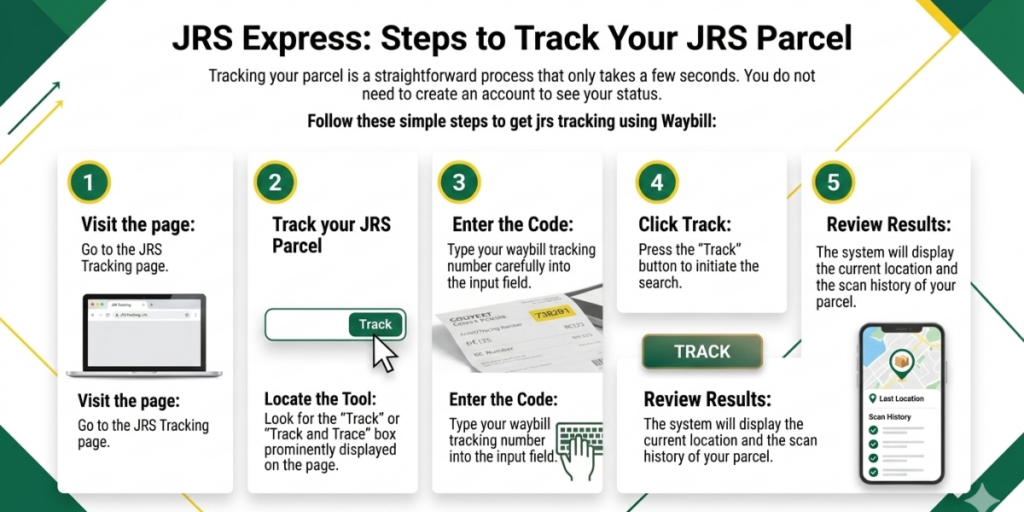
  • Visit the page: Go to the JRS Tracking page.
  • Locate the Tool: Look for the “Track” or “Track and Trace” box prominently displayed on the page.
  • Enter the Code: Type your waybill tracking number carefully into the input field.
  • Click Track: Press the “Track” button to initiate the search.
  • Review Results: The system will display the current location and the scan history of your parcel.
infographics on jrs tracking steps

Third-Party Tracking Portals

Sometimes, the official website might be busy, or you might be tracking packages from multiple different couriers at once. In these cases, third-party tracking tools like ParcelMonitor, ParcelsApp, or PKGE are very helpful. These platforms connect to the JRS database to show you your information.

These external tools often provide extra features that the main site might not have. For example, they can send you email alerts when your package moves. They are also excellent for international shipping because they can track the package even after JRS hands it over to a foreign courier.

New Waybill Not Trackable

It is common for a new JRS waybill to show “No Record Found” immediately after you leave the branch. This happens because the physical paper must be digitally encoded into the computer system. This process can take several hours depending on how busy the branch is.If you drop off a package late in the afternoon, it might not appear online until later that evening or even the next morning. If your number still doesn’t work after 24 hours, it is a good idea to double-check the digits or contact the branch where the item was sent.

Reasons for Tracking Updates to Slow Down

Sometimes, your tracking status might not change for a day or two. This does not always mean the package is lost. Here are the most common reasons for a lack of updates:

  • Between Hubs: The package is on a long-haul truck or boat and hasn’t reached the next scanning point.
  • Weekends and Holidays: Logistics operations may slow down or pause during non-working days.
  • Peak Seasons: During Christmas or major sales, the high volume of packages can cause delays in scanning.
  • Customs Processing: For international items, packages may sit in a customs office for inspection, which JRS does not control.

Troubleshooting “Invalid Number” Errors

Seeing an error message can be frustrating. If the system says your waybill is invalid, take a deep breath and try these troubleshooting steps:

  • Check for Typos: Ensure you haven’t confused the letter ‘O’ with the number ‘0’ or ‘I’ with ‘1’.
  • Remove Spaces: Make sure there are no extra spaces before or after the number.
  • Wait for Encoding: If the waybill was just created, wait at least 4 to 6 hours before trying again.
  • Verify with Sender: Ask the sender to send a photo of the receipt to ensure the number is correct.

Benefits of Online Tracking vs. Calling the Branch

In the past, you had to call a branch or visit in person to ask about a package. Today, using the online waybill tool is much more efficient.

  • Time-Saving: You can check your status in seconds from your phone or computer.
  • 24/7 Availability: Unlike branches, the online tracking system is available even in the middle of the night.
  • Accuracy: You see the exact same data that the JRS staff sees in their internal system.
  • Notifications: Many apps allow you to turn on “Push Notifications” so you get an alert the moment your parcel is scanned.

What to Do if an Item is Marked “Delivered” But Not Received

This is a rare but stressful situation. If your tracking says “Delivered” but you don’t have the item, follow these steps immediately:

  • Check with Others: Ask family members, housemates, or neighbors if they accepted the delivery for you.
  • Check Common Areas: Look at your building’s reception desk, mailroom, or with security guards.
  • Contact JRS: Call the delivery branch immediately. Provide your waybill number and ask for the “Proof of Delivery” (POD).
  • Verify the Signatory: JRS keeps a record of who signed for the package. This name will help you locate who has your parcel.

 A JRS waybill tracking number is the unique code printed on your JRS receipt or waybill that identifies your shipment in the tracking system. You use this number online to see where your package is and its latest delivery status.

You can find the waybill number on the JRS receipt or waybill, usually next to or under the barcode. If you bought from an online shop, check the order details or confirmation message where the seller often lists the JRS tracking number.

This message usually appears when the waybill has not yet been encoded into the tracking system or the number was mistyped. Wait a few hours, re enter the exact code, and if the issue continues after 24 to 48 hours, contact JRS with your waybill.

It can take several hours from drop off before the waybill becomes active online, especially if the parcel was shipped near cut off or on weekends. Many users only see updates later the same day or the next working day once the branch or hub finishes encoding.

A “Problematic” status usually indicates there is an issue in delivery, such as a routing error, incorrect branch, or address problem. When you see this, contact JRS immediately with your waybill so they can coordinate with the destination branch and fix the issue.

Some branches and routes scan parcels only at key points, so you might see just an initial acceptance scan and then a final delivery scan. This is normal for certain lanes, although it can be frustrating when you expect multiple in transit updates.

Conclusion

Using your Waybill Number with JRS Tracking makes monitoring shipments effortless. Whether sending documents, parcels, or international cargo, the Waybill Number ensures that every step of your package’s journey is visible. Real-time updates, clear status notifications, and integration with payment options like GCash and Maya make JRS Express a reliable choice for both individuals and businesses seeking transparency, speed, and convenience.

Similar Posts

Leave a Reply

Your email address will not be published. Required fields are marked *